
After Fright (Beta) for PC
Discover what happened after the fire in this fan-made game.Updated February 18, 2026
After Fright (Beta) PC Details
| Category | Action |
| Author | ERabbitGames |
| Version | v0.4.9-beta |
| Size | 462.5 MB |
| What's New | You can see the list of all the changes within the game. |
After Fright (Beta) for PC Screenshots
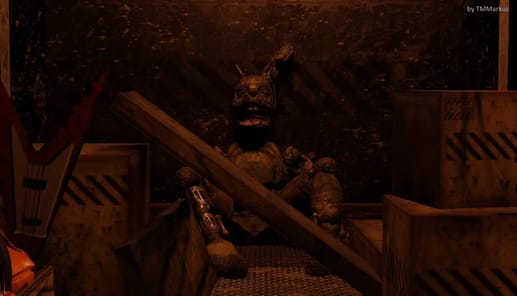
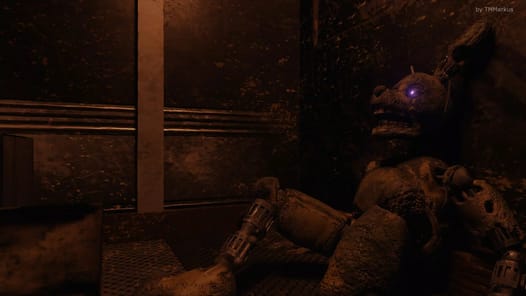
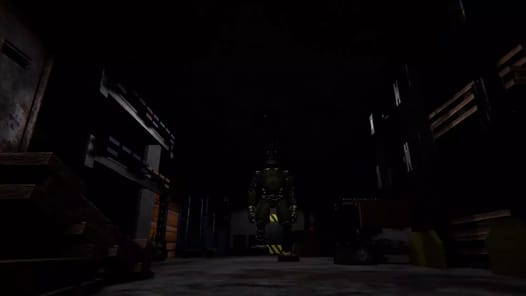
Discover the Thrills of After Fright (Beta)
Are you looking for a game that gives you a real adrenaline rush? After Fright (Beta) is an exciting horror experience that has everyone talking. It is a fantastic game that delivers scares and fun in a very special way. If you enjoy a good challenge and a spooky atmosphere, this might be the perfect game for you.
What makes After Fright (Beta) so great is its unique feel. It offers a fresh take on the horror genre, with clever ideas and a design that will keep you on the edge of your seat. It’s a journey through progressing levels that get more interesting as you go.
What Makes the Gameplay Special?
A Perfect Challenge
After Fright (Beta) has found a great balance in its gameplay. The mechanics are designed to be challenging but fair. You have just the right amount of time to react to things happening on screen. For example, dealing with characters like Phantom Mangle feels tough but achievable. The instructions are very helpful, guiding you just enough to understand what you need to do without spoiling the fun. Beating a level gives you a real sense of satisfaction.
Amazing Art and Atmosphere
The first thing you will notice is the eerie graphic design. The visuals create an off-putting and spooky mood that makes the game much scarier. The animatronics are designed with amazing detail, making them truly memorable. This unique art style is a huge part of what makes After Fright (Beta) so much fun to play.
Navigating the Spooky Levels
After Fright (Beta) takes you through several levels, each with its own puzzles. Some levels introduce new ideas that you have to figure out. For instance, you will need to pay close attention to the health of your doors to stay safe. Later levels, like level 4, have cool puzzles involving things like soundwaves and clicking dials. It can be a little confusing at first, but figuring it out is part of the adventure. The key is to take your time, think about the puzzle, and try again!
The game is still in its beta phase, which means it is still growing. There is a lot of excitement for what comes next. Players look forward to future updates that could add more levels and even more unique features to the experience.
Frequently Asked Questions
What kind of game is After Fright (Beta)?
It is a free-to-play horror game for your phone. It is known for being a very well-made fan game that provides a great scare.
How many levels are in After Fright (Beta)?
Currently, the game has at least four levels that you can play through and beat.
Is the game very difficult?
The game is designed to be a fun challenge. It gives you an adrenaline rush, and the difficulty feels just right, providing a great sense of accomplishment when you win.
How to Install After Fright (Beta) on PC
Below instructions allows you to download and install After Fright (Beta) app on Windows or MAC computer using an Android emulator. The process involves:
Download APK:Downloading the After Fright (Beta) APK file by choosing a version.
Install Android Emulator:There are a number of Android emulators the internet. Choose a emulator that works better with your PC. Now, download and install the Android emulator software.
Run the Emulator:Open the emulator you have just installed and configure the settings such as display, keywords, mouse etc.
Install Gene:Open the downloaded After Fright (Beta) APK file using the emulator, which will install After Fright (Beta) on Windows or MAC.